


Docker VPS Hosting

Docker Hosting

Run your apps in containers on your own cloud server. Choose Docker when you order and Docker Engine and Docker Compose deploy automatically while your server is built. Then log in and start your containers.
Starting from R299/mo
What you get
  • Docker Engine Deploys In One Click
  • Docker Compose Included
  • Ubuntu 24.04 Ready
  • Full Root SSH Access
Docker Plans

Pick Your Docker Server

Docker deploys in one click on every plan. Docker needs at least 1 GB of RAM, and our smallest plan already has 8 GB, so there is room for many containers.

Starter Cloud VPS

R299/mo
Billed monthly
Order With Docker
  • 100 GB  SSD Storage
  • 8 GB  Dedicated RAM
  • 4 vCPU  Cores
  • Unlimited  Traffic, 200 Mbit/s Port
  • Dedicated  IPv4 & IPv6 Address
  • 1  Snapshot
  • Full Root Access
  • 1-Click Apps: n8n, OpenClaw, Docker
  • 30-Days  Money-Back

Plus Cloud VPS

R449/mo
Billed monthly
Order With Docker
  • 200 GB  SSD Storage
  • 12 GB  Dedicated RAM
  • 6 vCPU  Cores
  • Unlimited  Traffic, 300 Mbit/s Port
  • Dedicated  IPv4 & IPv6 Address
  • 2  Snapshots
  • Full Root Access
  • 1-Click Apps: n8n, OpenClaw, Docker
  • 30-Days  Money-Back

Turbo Cloud VPS

R749/mo
Billed monthly
Order With Docker
  • 300 GB  SSD Storage
  • 24 GB  Dedicated RAM
  • 8 vCPU  Cores
  • Unlimited  Traffic, 600 Mbit/s Port
  • Dedicated  IPv4 & IPv6 Address
  • 3  Snapshots
  • Full Root Access
  • 1-Click Apps: n8n, OpenClaw, Docker
  • 30-Days  Money-Back

Business Cloud VPS

R1,299/mo
Billed monthly
Order With Docker
  • 400 GB  SSD Storage
  • 48 GB  Dedicated RAM
  • 12 vCPU  Cores
  • Unlimited  Traffic, 800 Mbit/s Port
  • Dedicated  IPv4 & IPv6 Address
  • 3  Snapshots
  • Full Root Access
  • 1-Click Apps: n8n, OpenClaw, Docker
  • 30-Days  Money-Back
Why Host Docker With Us

A Server Made For Containers

Skip the setup and get straight to running your apps.
No Setup

Ready The Moment You Log In

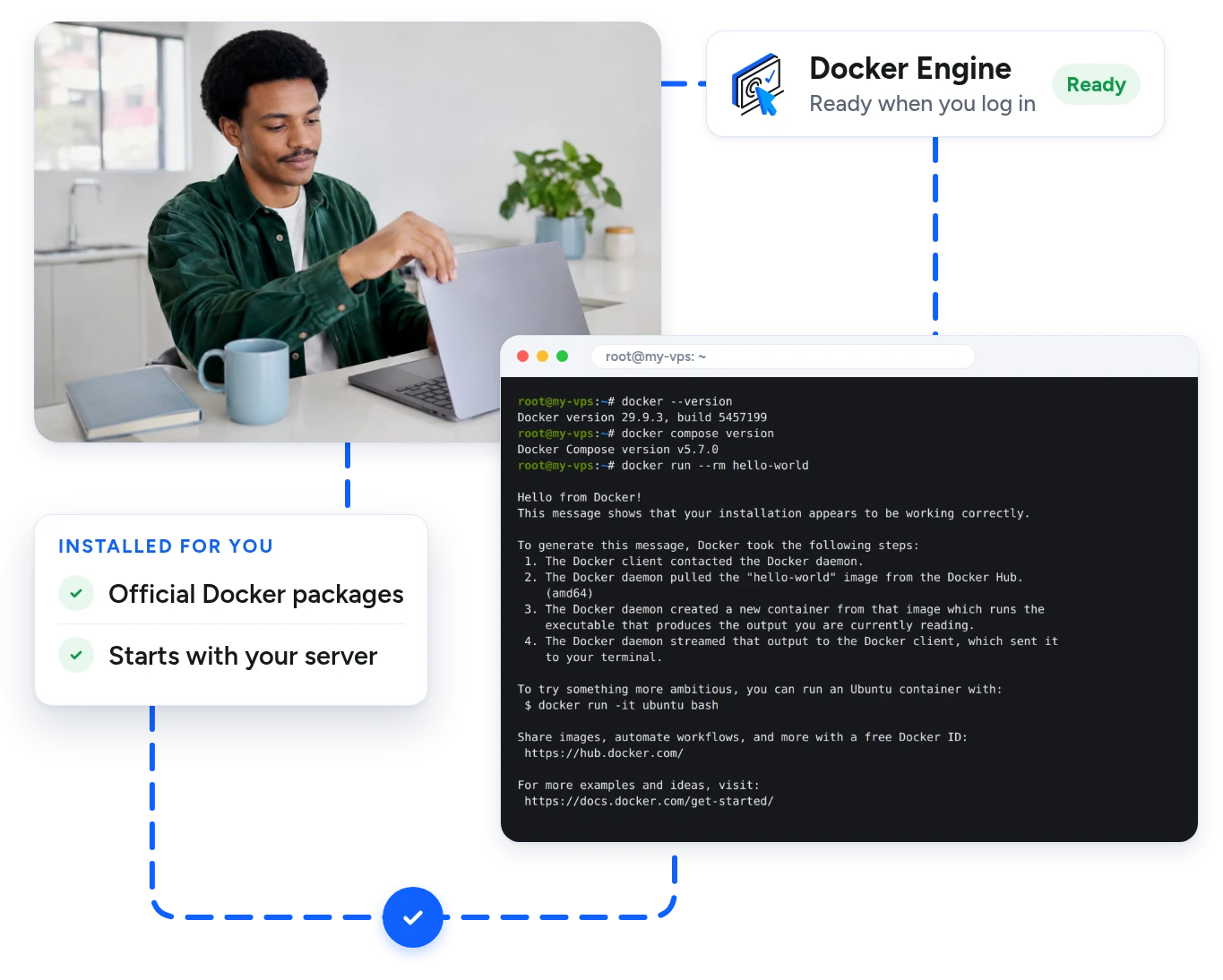
Pick Docker on the order form. Docker deploys automatically with the official script from Docker while your server is built. It is ready when you first connect.

  • The official Docker packages
  • Docker starts with your server
  • Live progress in your client area
Terminal showing the Docker and Docker Compose versions on a new server
Clean And Separate

One Container Per App

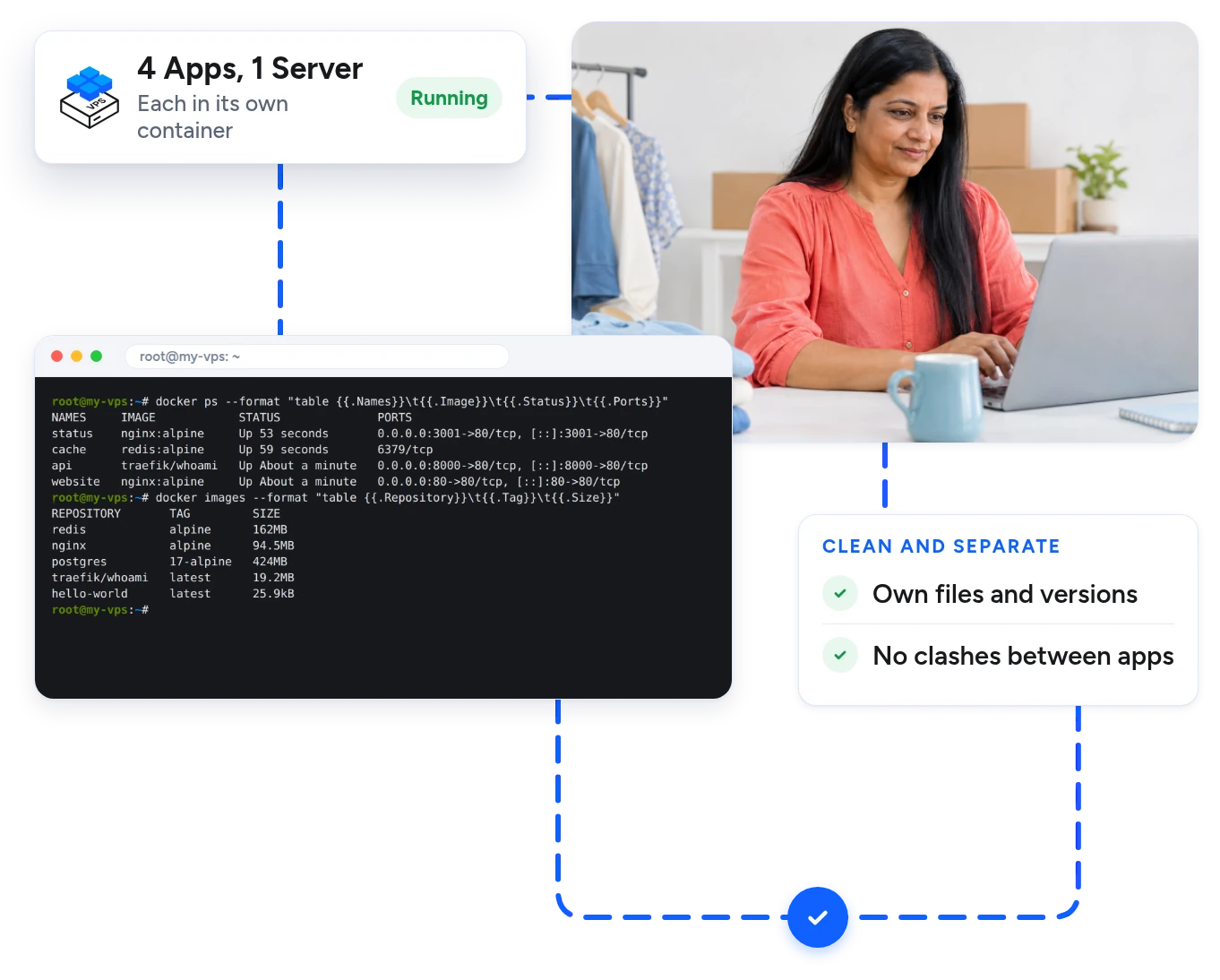
Each app runs in its own container with its own files and versions. Apps do not clash, and you can remove one without leaving a mess behind.

  • Run many apps on one server
  • Pin each app to its own version
  • Unlimited traffic on every plan
Terminal listing four containers running side by side
From Your Client Area

Add Docker Any Time

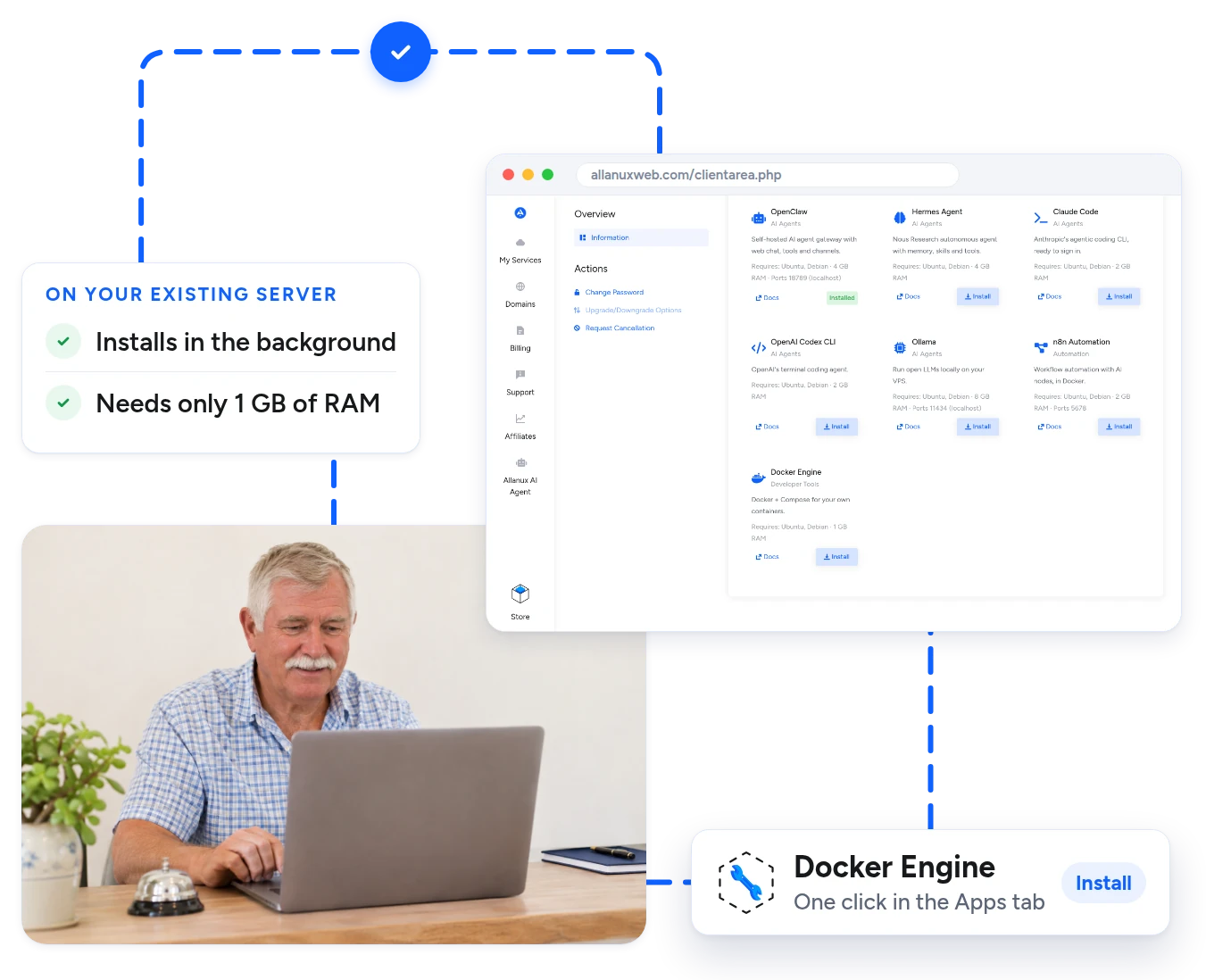
Already have a server with us? Open the Apps tab and deploy Docker in one click. If Docker is already on the server, it is left as it is.

  • Deploys in the background
  • Your files and settings stay as they are
  • Needs only 1 GB of RAM
Client area Apps tab with the Docker Engine install button
Change One Line

Easy Updates And Rollbacks

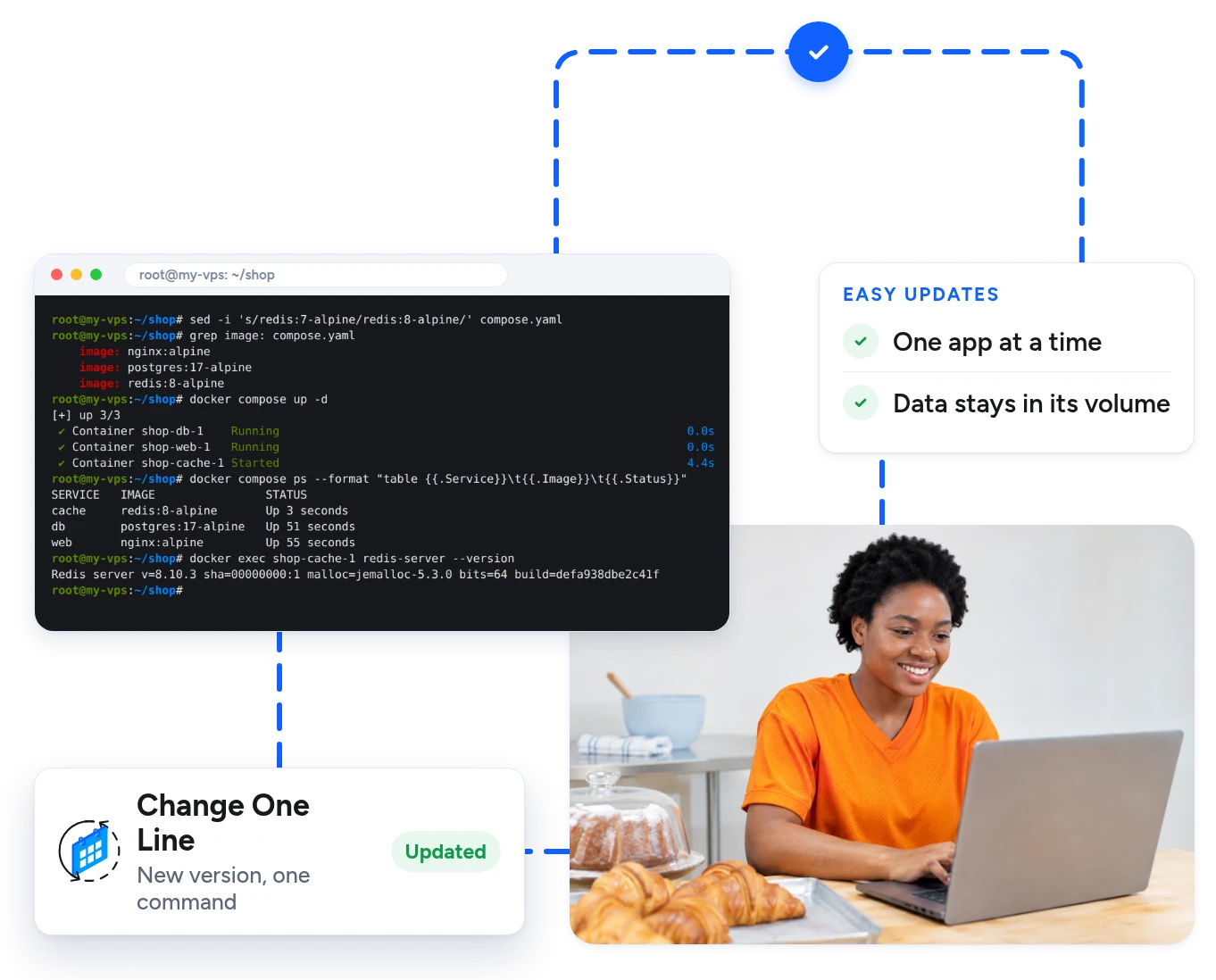
To move an app to a new version, change its image tag and run one command. Only that container is replaced, and the rest keep running.

  • Update one app at a time
  • Go back by changing the tag again
  • Your data stays in its volume
Terminal moving a Redis container to a new version with Docker Compose
What You Can Run

If It Comes As An Image, It Runs Here

Run your own code or ready-made images from Docker Hub.

Websites And APIs

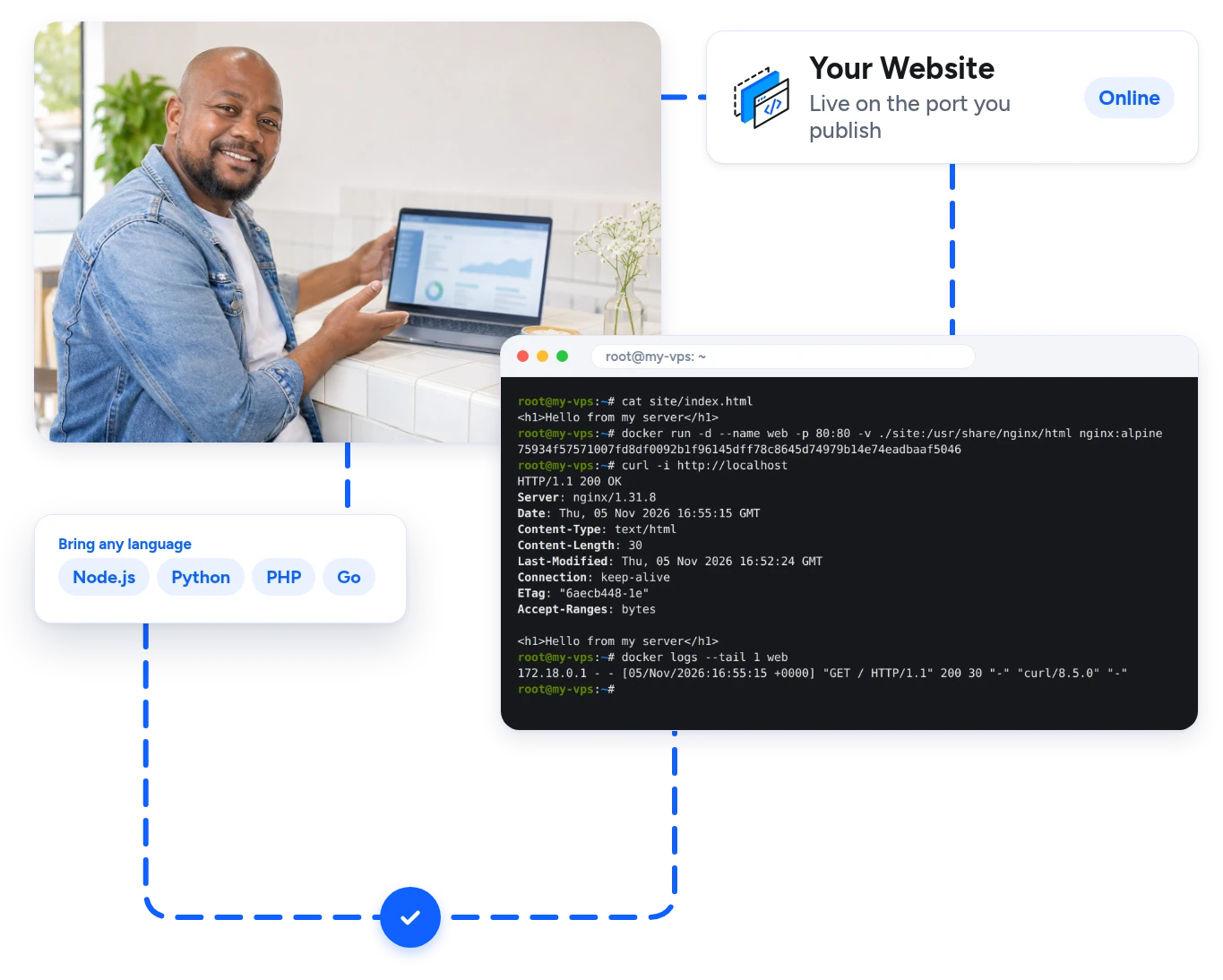
Put your website or API in a container and publish its port. Your app brings its own runtime, so the server stays clean.

  • Any Language Node.js, Python, PHP, Go and more.
  • Publish A Port Choose which port goes online.
  • Logs In One Place Read them with one command.
Terminal starting an nginx container and loading the page
How It Works

Get Docker Running In 4 Simple Steps

From your order to your first container.

  1. Step 1

    01Choose Your Plan

    Pick a plan and select Docker under AI Agent / App on the order form.

  2. Step 2

    02Docker Deploys Automatically

    Your server is built with Ubuntu 24.04, and Docker Engine and Docker Compose deploy automatically.

  3. Step 3

    03Connect By SSH

    Log in as root with the details in your client area.

  4. Step 4

    04Start Your Containers

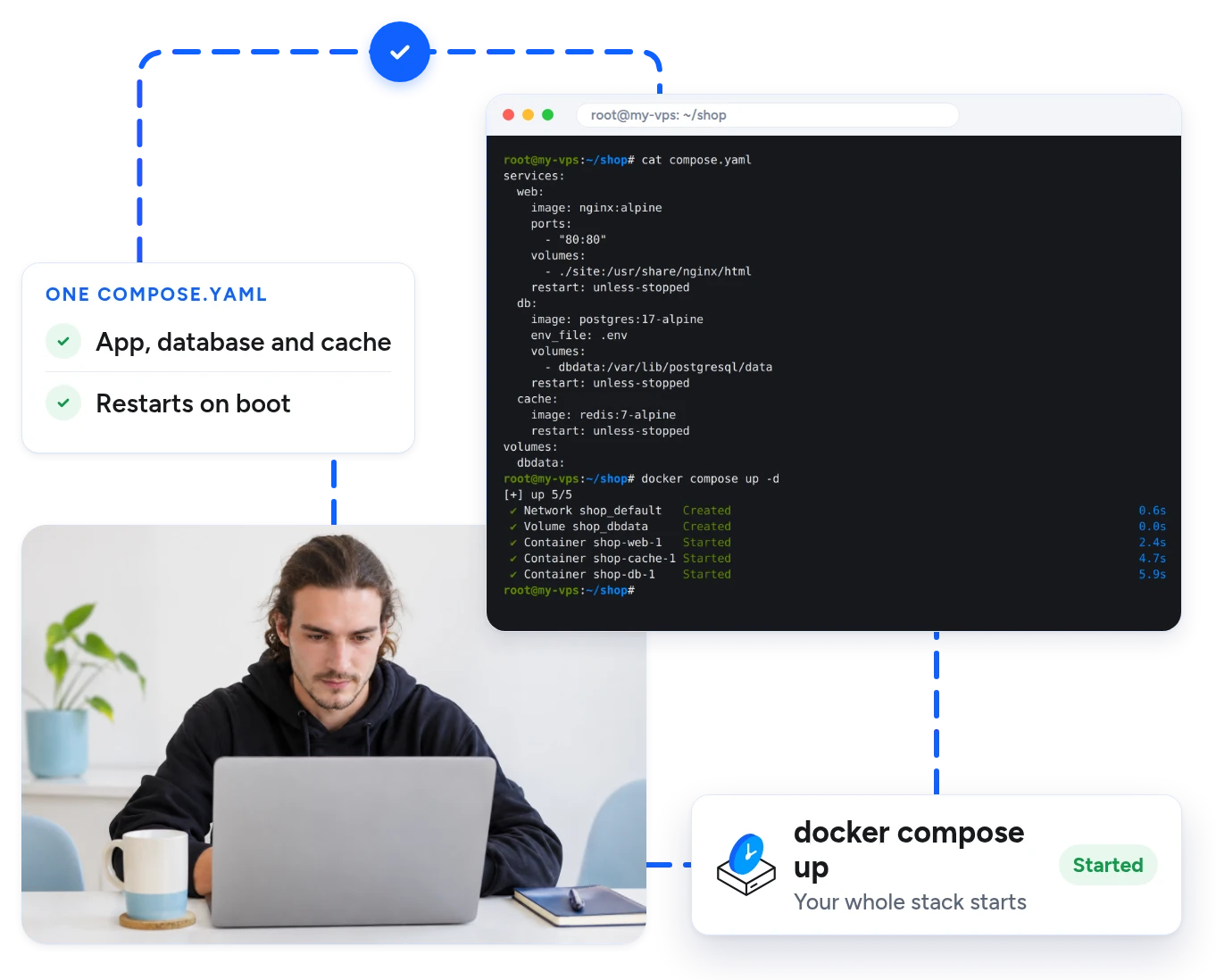
    Run docker run for one app, or docker compose up -d for a full stack.

More One-Click Apps

Run More Apps On The Same Server

Deploy other apps next to Docker in one click from the Apps tab in your client area.
OpenClaw logo
OpenClaw
Hermes Agent logo
Hermes Agent
Claude Code logo
Claude Code
n8n logo
n8n
Ollama logo
Ollama
OpenAI Codex logo
OpenAI Codex
FAQs

Docker Hosting FAQs

Docker runs apps in containers. A container holds an app with everything it needs, so it runs the same way on any server and stays apart from your other apps.

Yes. Choose Docker under AI Agent / App when you order. Docker Engine deploys automatically while your server is built, and your client area shows when it is ready.

Yes. The Docker Compose plugin deploys with Docker, so you can use docker compose straight away.

Docker itself needs at least 1 GB of RAM. Our Starter plan has 8 GB, which is plenty for a few apps. Choose a bigger plan for more containers or larger databases.

Docker runs on Ubuntu or Debian. Ubuntu 24.04 is selected by default when you order.

Yes. Open the Apps tab in your client area and click Install next to Docker Engine. If Docker is already on the server, it is left as it is.

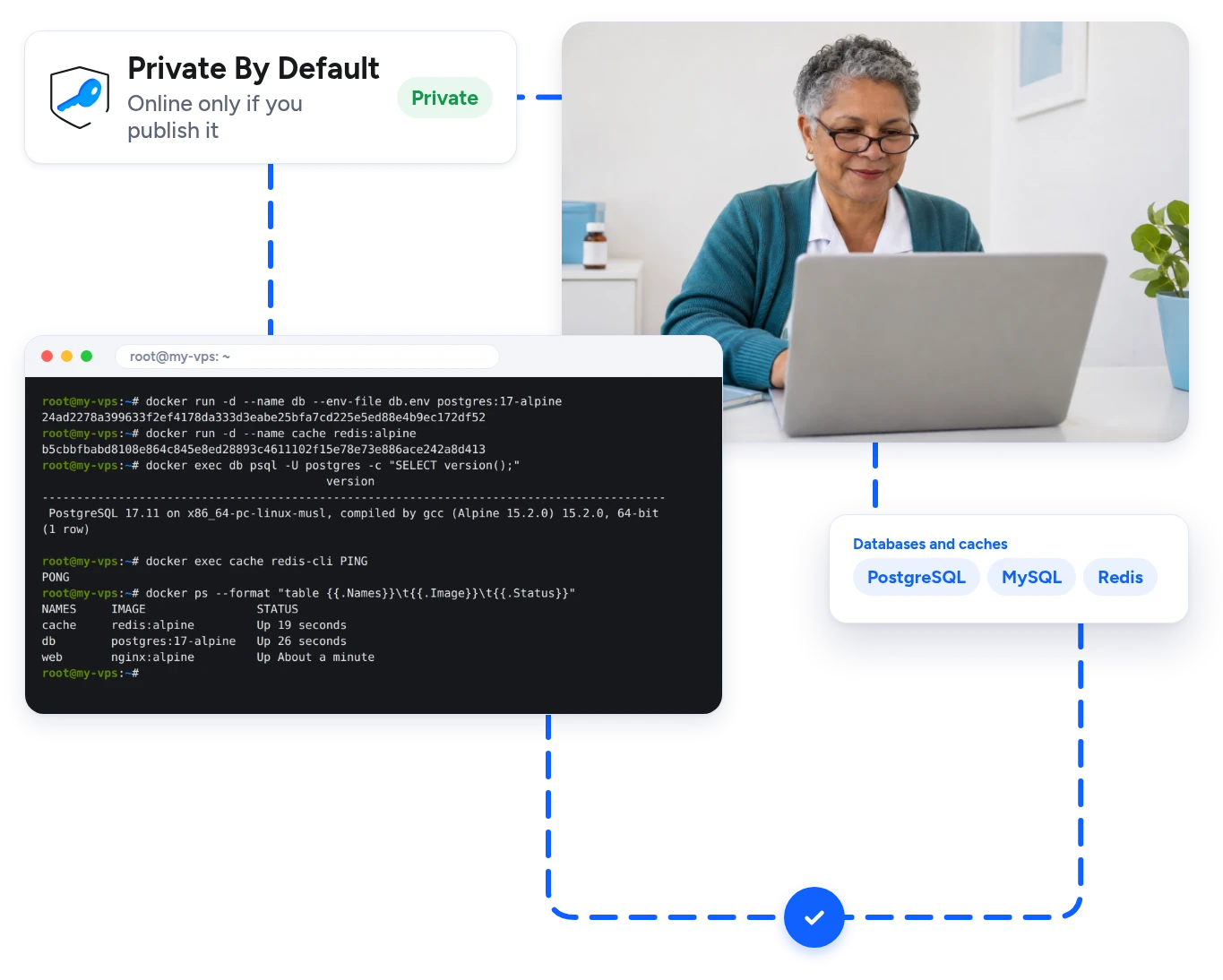
No. The automatic deploy does not open any ports. A container is only reachable from the internet when you publish its port.

No. It is an unmanaged VPS with full root access, so you look after your containers and updates. We look after the hardware, the network and your access to the server.

Yes. Open the Apps tab to add OpenClaw, Hermes Agent, Claude Code, n8n and more on the same server.

Yes. Every plan has a 30-day money-back guarantee.

Ready To Start?

Get Your Own Docker Server Today

Docker and Docker Compose deployed automatically on a private server. Pick a plan and start your first container in minutes.